Pague com total segurança com: MBWay, Multibanco, Cartão de Crédito, Paypal ou Transferência Bancária
Acompanhe a sua encomenda desde a saída para entrega até a receber na sua casa.
O Valor dos produtos incluem Iva à taxa legal em vigor.
Oferecemos o reembolso e/ou troca dentro dos primeiros 14 dias da sua compra. Se já tiverem passado 14 dias desde a data da sua compra, não lhe será oferecido um reembolso e/ou troca de qualquer tipo.
Se tiver alguma dúvida com algum produto, se precisar de mais fotos ou informações sobre algum produto ou com a sua encomenda, contacte-nos no link abaixo
Monitor Portátil Anmite 10.5 Polegadas 1920x1280 - HDR, 100% sRGB, Baixa Luz Azul, Tipo-C, para Gaming (Xbox, PS5, Switch), Extensão de Telemóvel e PC
Expanda a sua produtividade e multiplique a diversão com o Monitor Portátil Anmite de 10.5 Polegadas. Este ecrã portátil ultracompacto e leve (apenas ~300g) é a solução perfeita para criar um setup dual em qualquer lugar, jogar em consolas de forma mais imersiva ou transformar o seu telemóvel/tablet num centro de trabalho portátil.
Com uma resolução nítida de 1920x1280 (WUXGA) num formato 15:10 mais alto, oferece mais espaço vertical para código, documentos ou navegação web. O painel IPS de alta qualidade com 100% cobertura sRGB garante cores vibrantes e precisas, suportadas por tecnologia HDR para maior contraste. A função Low Blue Light reduz a fadiga ocular durante longas sessões.
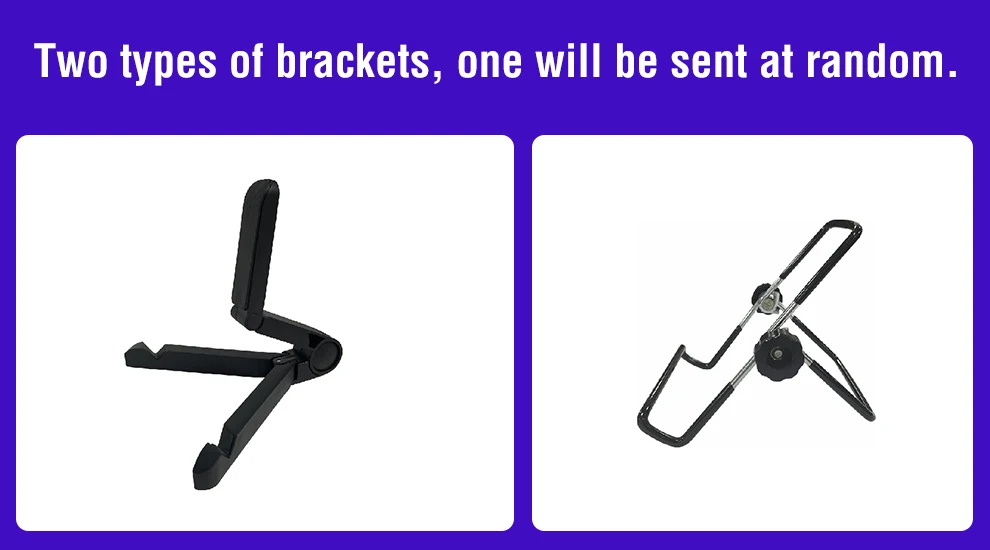
A conectividade é simples e universal com 2 portas USB-C (dados + alimentação) e uma entrada mini HDMI, compatível com PCs, Macs, smartphones (com modo desktop), Nintendo Switch, PlayStation e Xbox. Inclui um suporte dobrável e todos os cabos necessários, sendo verdadeiramente plug-and-play.
Por que escolher o Monitor Portátil Anmite?
Portabilidade Extrema: Incrivelmente leve (~300g) e fino, ideal para levar na mochila para viagens, coworking ou café.
Qualidade de Imagem Superior: Ecrã IPS 10.5" com 1920x1280, 100% sRGB, HDR e Low Blue Light para cores fiáveis e conforto visual.
Compatibilidade Universal: Liga-se facilmente a PCs, Macs, smartphones, Nintendo Switch, PS5, Xbox Series X/S via USB-C ou mini HDMI.
Setup Completo Plug-and-Play: Inclui suporte dobrável, cabos USB-C e mini HDMI – pronto a usar em segundos.
Multifuncional: Perfeito como segundo ecrã para trabalho, gaming em consolas, exibição de fotografia ou extensão do seu telemóvel.
Especificações Técnicas:
Marca/Modelo: Anmite A105W01
Tamanho do Ecrã: 10.5 polegadas
Resolução: 1920 x 1280 pixels (WUXGA), Formato 15:10
Tipo de Painel: IPS
Taxa de Atualização: 60Hz
Cores: 16.7 Milhões (8-bit), 100% sRGB
Tecnologias:HDR, Low Blue Light
Conectividade:2x USB-C (Full-featured: dados, vídeo, energia), 1x Mini HDMI
Altifalantes: 2x Estéreo Integrados
Alimentação: Via porta USB-C (pode ser alimentado pelo dispositivo de origem ou por powerbank)
Peso: Aprox. 300g (só monitor)
Inclui: Monitor, Suporte Dobrável, Cabo USB-C, Cabo Mini HDMI, Cabo de Alimentação USB, Bolsa Protetora
Liberte-se das limitações de um único ecrã. O Monitor Portátil Anmite é a sua janela extra para o mundo, sempre que e onde quer que precise.
Monitor FAQ - Common Troubleshooting
Q: The screen displays "blue no signal"
A: If you use a mobile phone to connect, you need to check whether the phone supports USB3.1 version output, whether it supports DisplayPort alternative mode (DP Alt Mode), and whether it supports MHL protocol mode. If not, it may be incompatible. You can use some converters for compatibility, such as: HD adapter cable. If not, it will display a blue no signal state. Please add a Mini HDMI to HDMI cable for signal transmission. If you use HDMI connection, you need to check whether your graphics card is connected correctly. As long as it displays blue no signal, it proves that there is no problem with the monitor, but there is no signal input. If there is a discrete graphics card, you must connect the discrete graphics card.
Q: Do I need to connect the power supply when using it?
A: The laptop uses a TPYE-C connection cable and does not need to be connected to the power supply. If the power supply is insufficient, the screen will flicker and USB power supply is required. If you use HDMI connection, you must use USB power supply. If the screen flickers, it may be insufficient power supply.
Q: What causes the screen flickering?
A: The screen flickering is caused by insufficient output or power supply of your device. It is recommended to use a 20W or higher PD power supply.
Q: Does it support vertical screen:
A: The monitor itself does not have the vertical screen function, so it does not support vertical screen. These functions can only be set on the mobile phone. The monitor only provides display functions. Unless you set the mobile phone to computer mode or set the vertical screen on the computer, the monitor itself does not support vertical screen.
Q: Does it support touch function?
A: This product is divided into non-touch version. Please choose the corresponding model according to your needs to place an order to avoid purchasing the wrong model.
Q: My monitor cannot be turned on.
A: Please check whether the monitor and your device are in power-on mode. Make sure the cable is connected correctly. Connect other available devices or cables to check.
If you use the USB-C interface connection: You can use the USB-C cable to achieve power supply and signal transmission (one line for two purposes, also known as one line pass) and get power directly from the laptop. If you use the HDMI interface connection, you must use a two-wire connection solution. The HDMI cable is only responsible for video signal transmission. You need an additional power supply solution. You can choose one of the following methods:
A1: Powered by a power adapter connected to the socket (20W and above PD power is recommended)
A2: Powered from the computer USB through a separate USB cable (If the computer USB power supply is insufficient, false alarms such as insufficient brightness, flickering, black screen, etc. may occur. It is recommended to use a 20W and above PD power supply).
Q: Why is my screen flickering?
A: Please check if the connection is loose. If there is no problem with the connection, the screen flickering is caused by insufficient output of your device or power supply. It is recommended to use a 30W or higher PD power supply. Please connect the adapter and use it again, or try to replace new cables and devices.
Q: Why does the monitor make an electric current or rustling sound?
A: Please confirm the source of the noise. If it is a connection noise, please re-plug the interface or replace a new cable. If it is the sound of the adapter or speaker, it may be due to the quality problem of the power adapter.
Q: Does this computer monitor support VESA wall mounting?
A: Support VESA wall mounting
Q: Is there a speaker?
A: Yes, with built-in speakers.
Q: Does it support Apple phones?
A: Basically not. However, after testing, iPhone 15 PRO and higher versions may be able to cast screens, but they do not support vertical screen and touch functions.