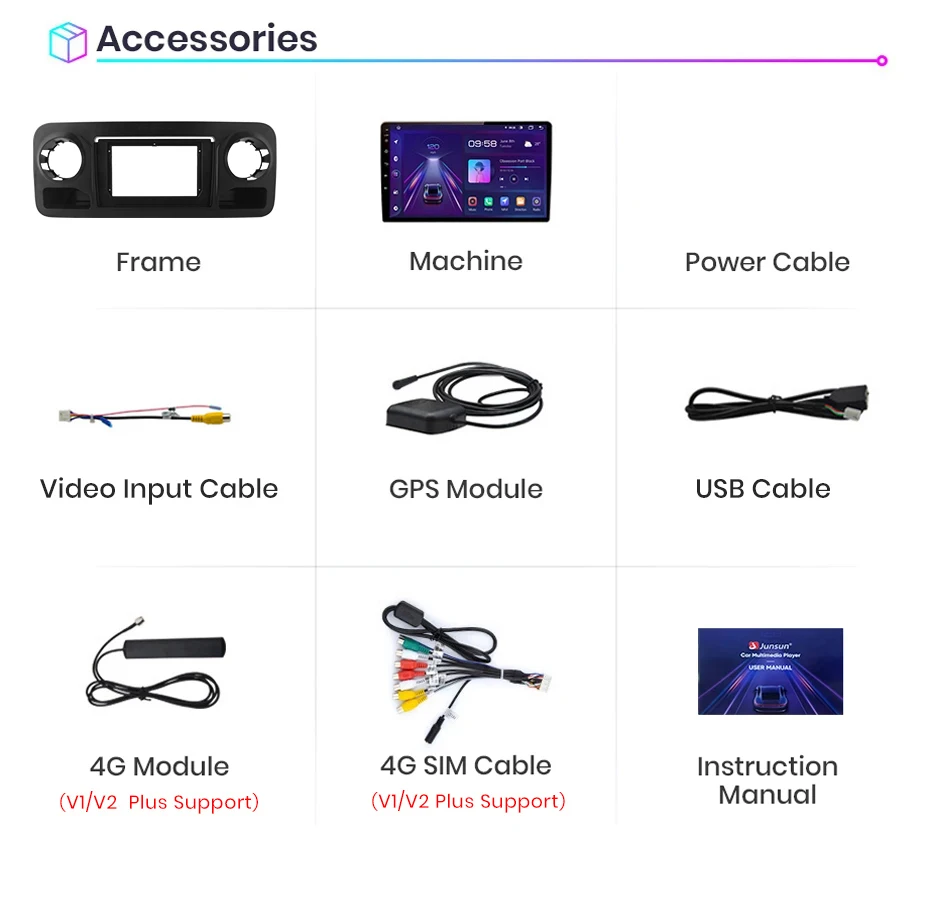
>> Junsun V1 Radio for Mercedes-Benz Sprint 2018 2019 2020 2021 2022 Function
Basic functions:
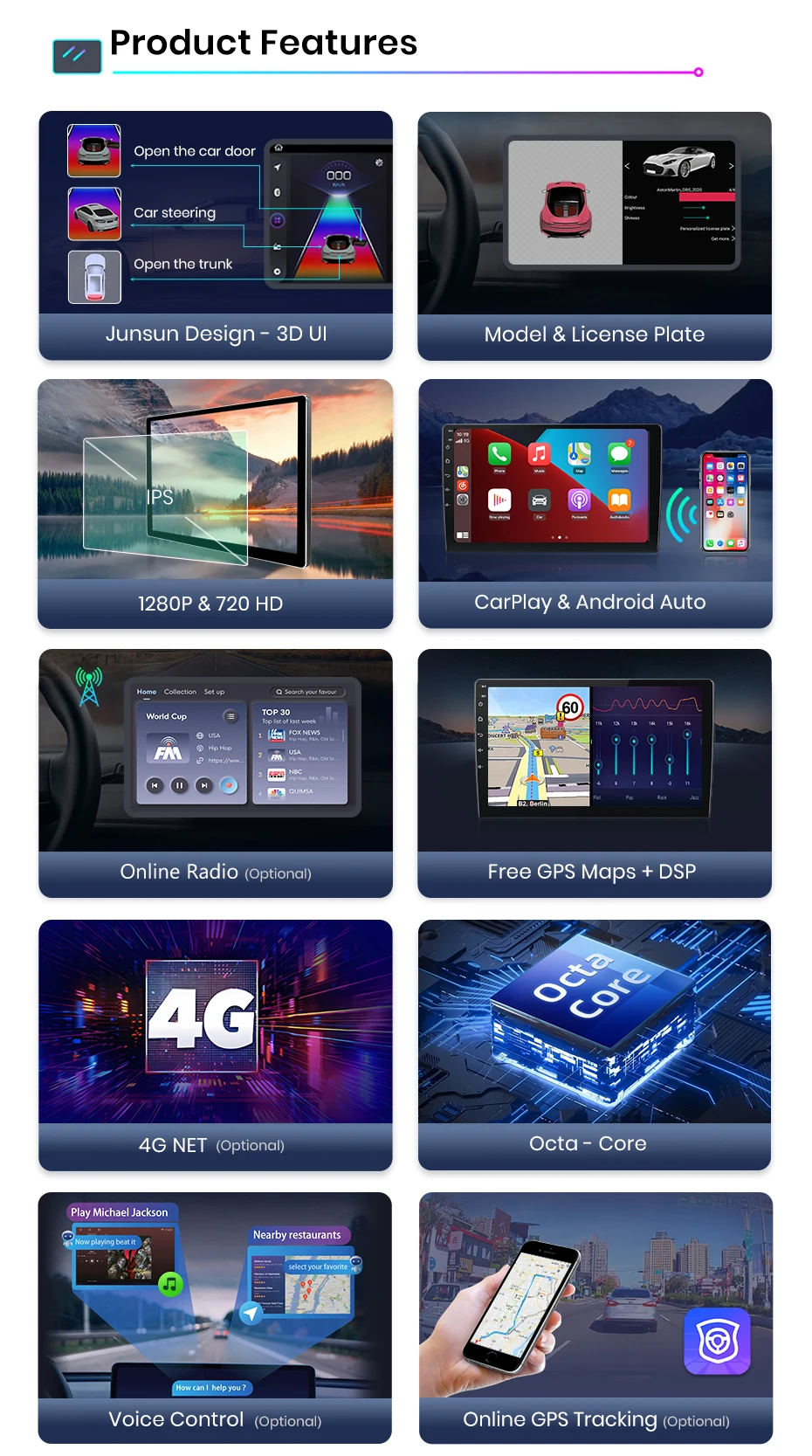
1, Android 12 + Built-in Wireless Carplay/ Android Auto;
2, IPS HD 1280 * 720P Screen, Deliver a Clearer and more vibrating picture;
3, Octa core 1.6GHZ + DDR3 (1GB/2GB/4GB/6GB) Flash + (16GB/32GB/64GB/128GB) memory;
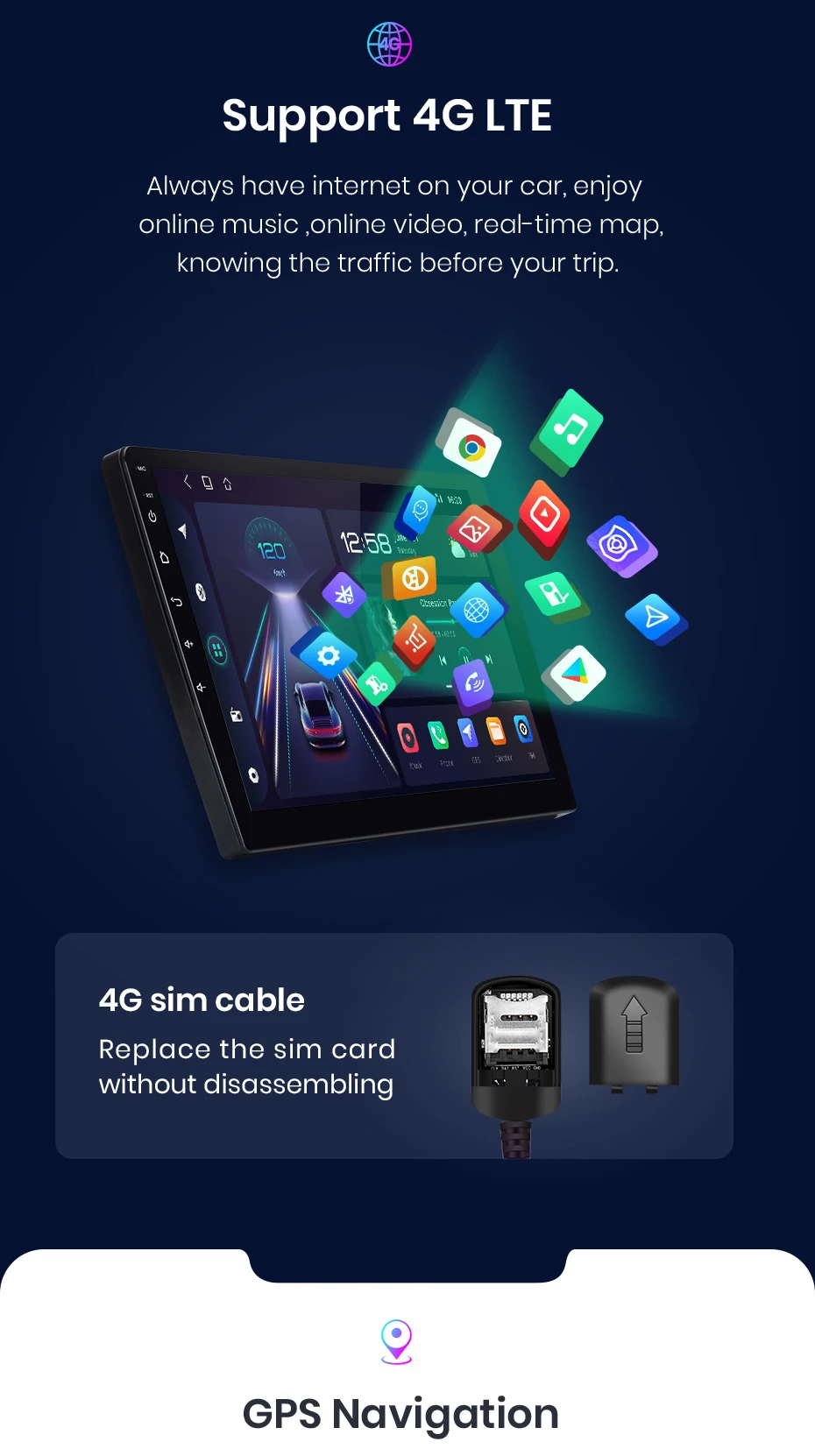
4.4G Network + Steering Steel Control RDS Built-in Navigation Offline Maps High-quality DSP chip makes the sound playback quality even better;
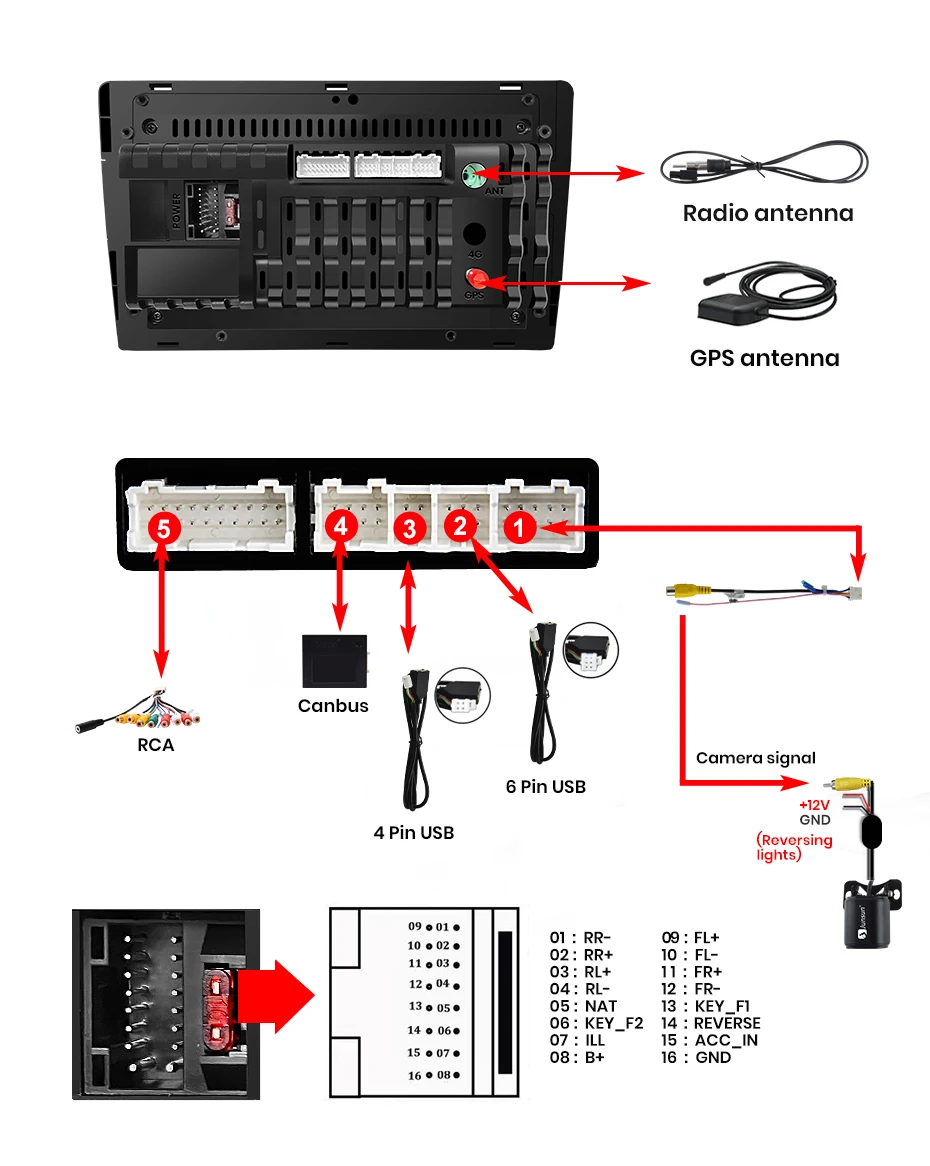
5, Junsun radios' power cable is pin to pin, can be directly connected to the car power interface, easy to install.
Product features:
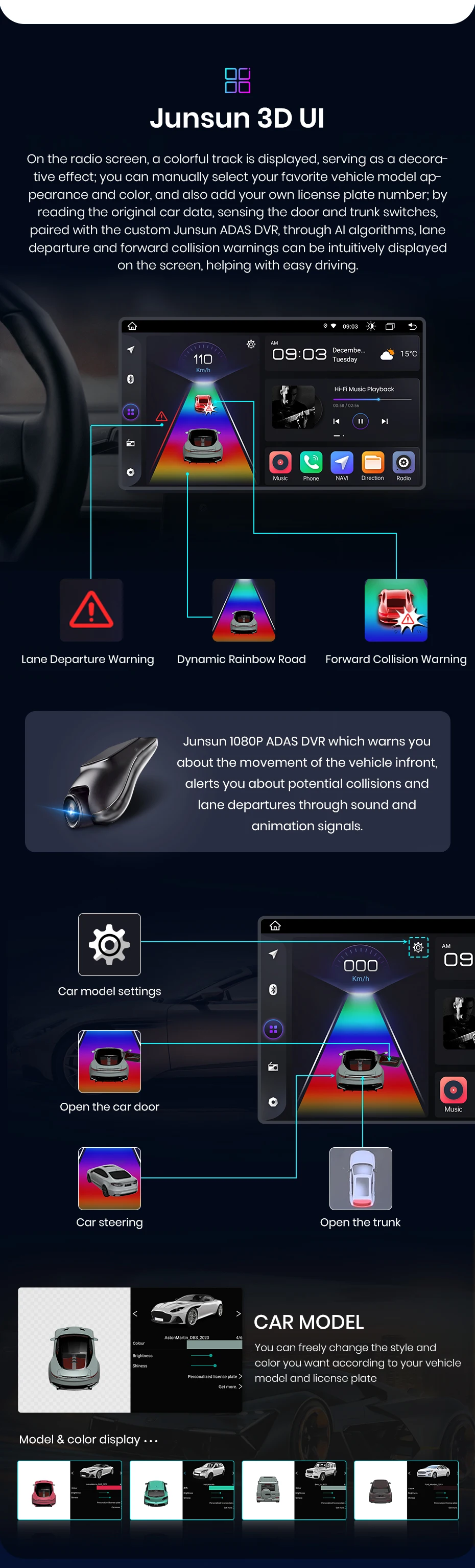
1, Personal UI Design, common functions are integrated into the desktop, and giving you to switch, support day and night fashion;
2, Online Radio: Relies on internet to search multiple channels (cover 20 countries' stations)
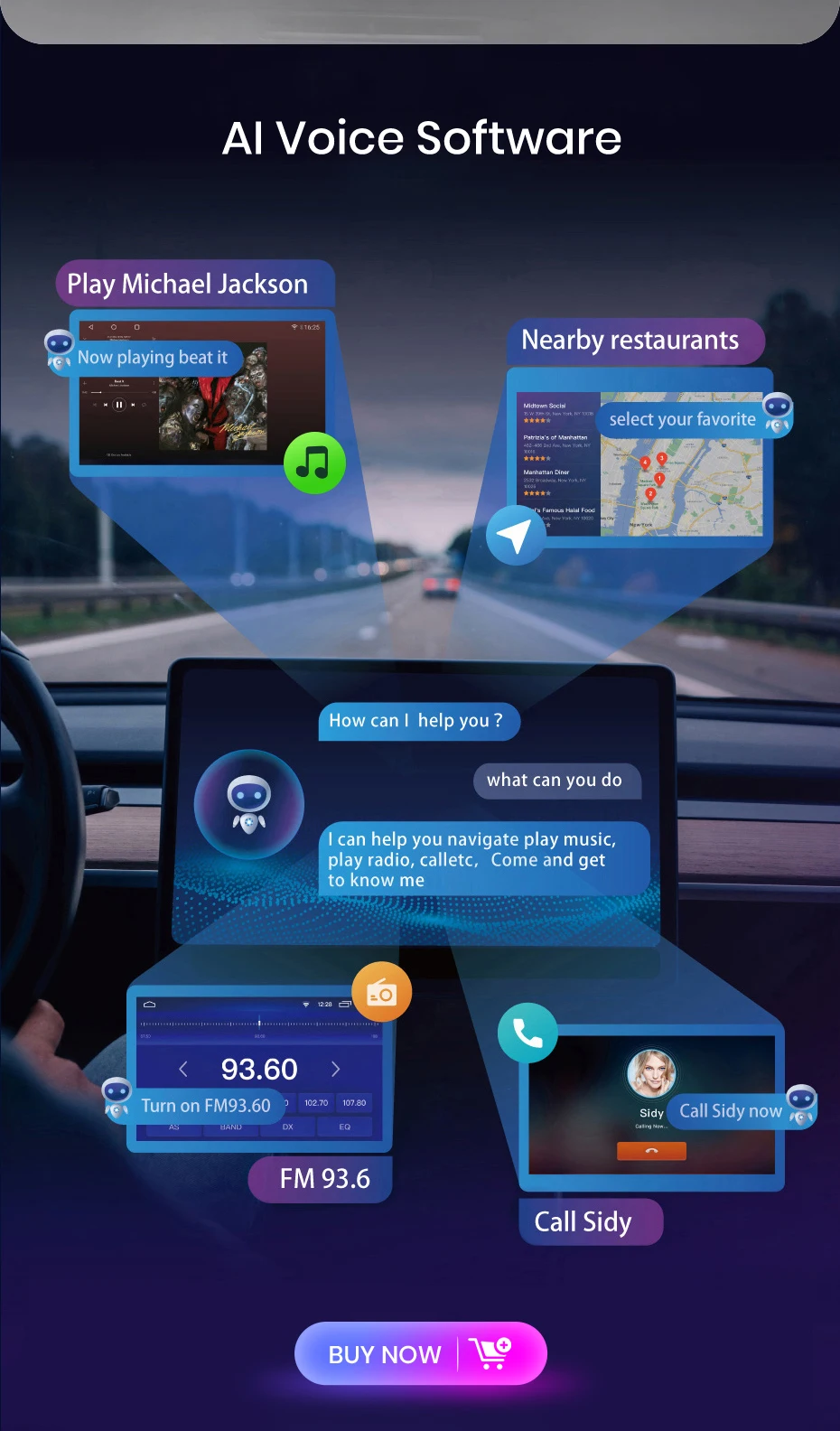
3, Advanced voice control: Control radio by voice, improve driving safety;
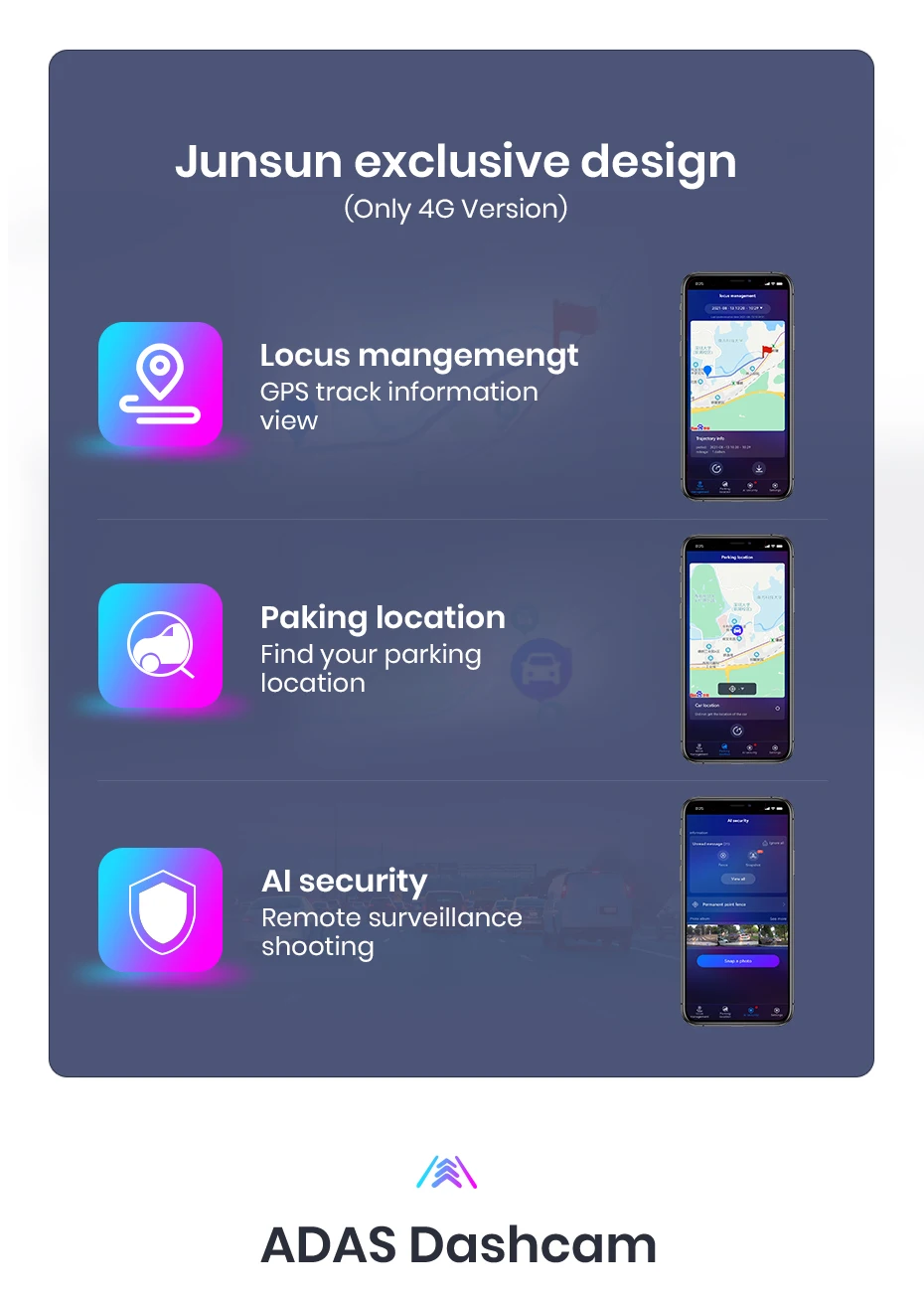
4, GPS track: Using the “Junsun Oline” app to view driving tracks, parking rentals, and remote surveillance shooting (need buy dashcam);
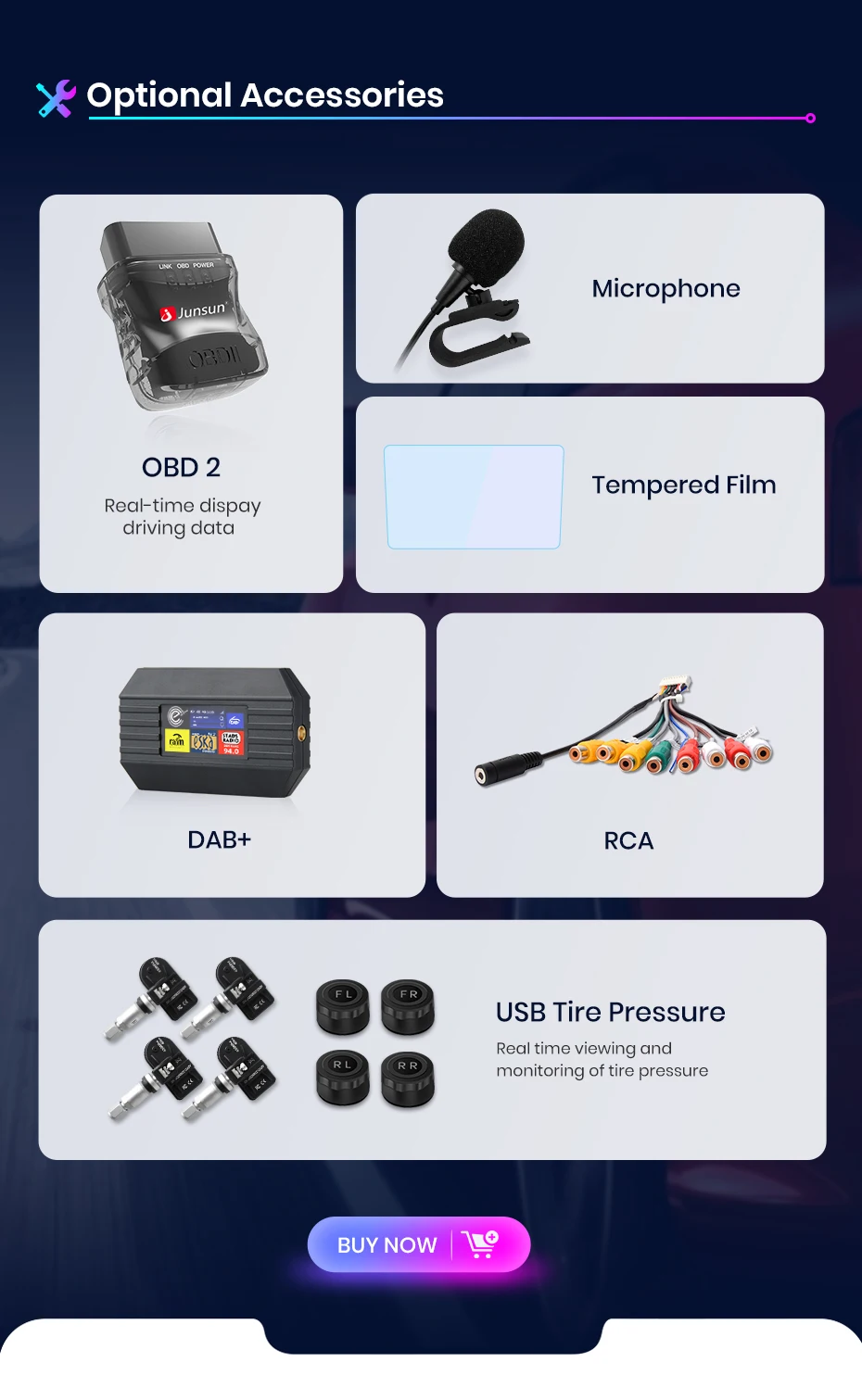
Optional accessories:
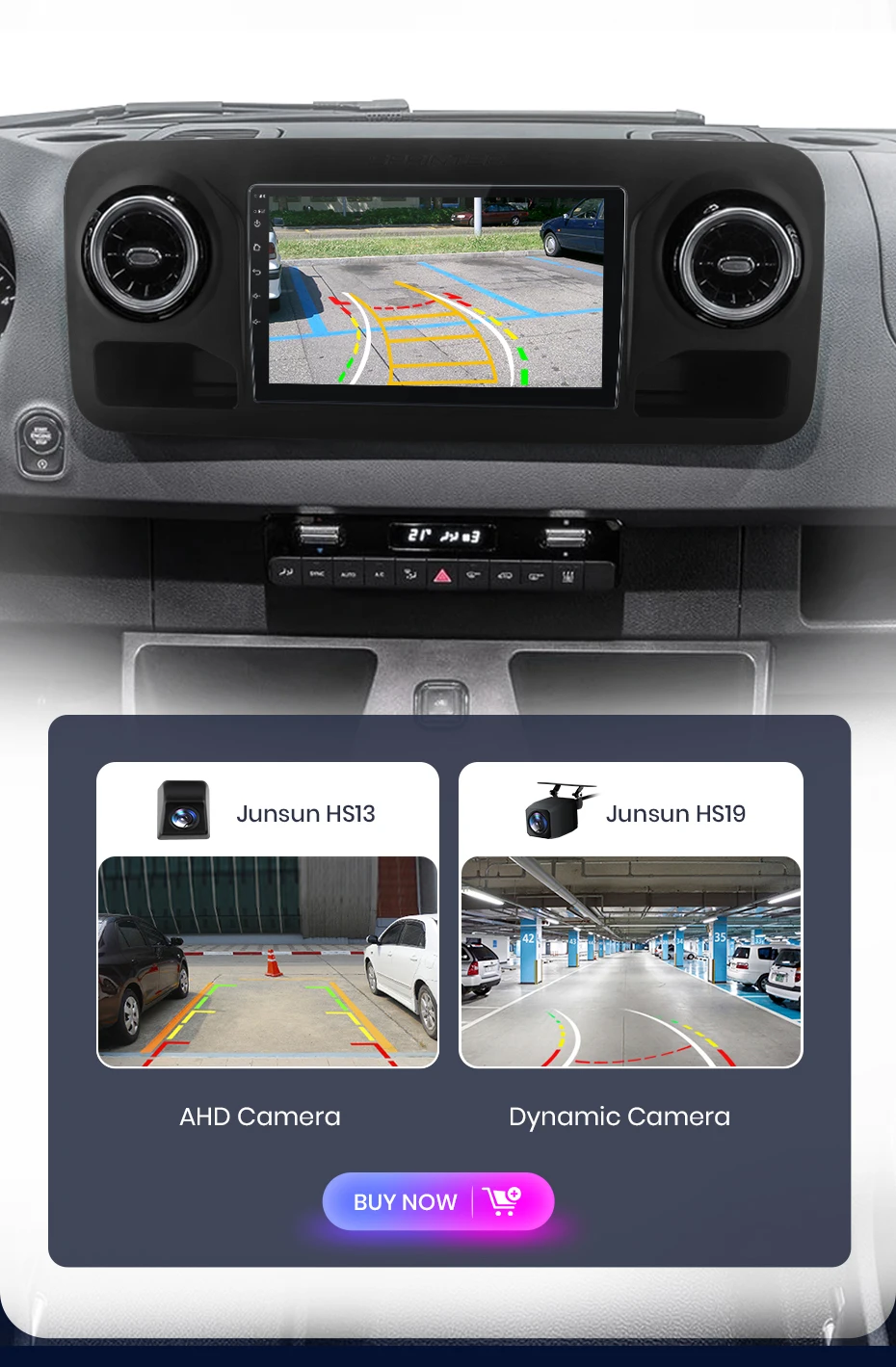
1. AHD Reading Camera: Superior video resolution and stable transmission;
2. ADAS & GPS Tracer DVR: You can check parking information and rental details on your phone;
3, Tire Pressure Monitoring: Automatically update tire pressure and temperature to ensure your driving safety;
4. ObD2: More precise detection and repair of vehicle problems;
5, External Microphone: Support for connecting microphones with 3.5mm port;
6. DAB: Using digital signal transmission, it can deliver a more stable and clear audio effect.
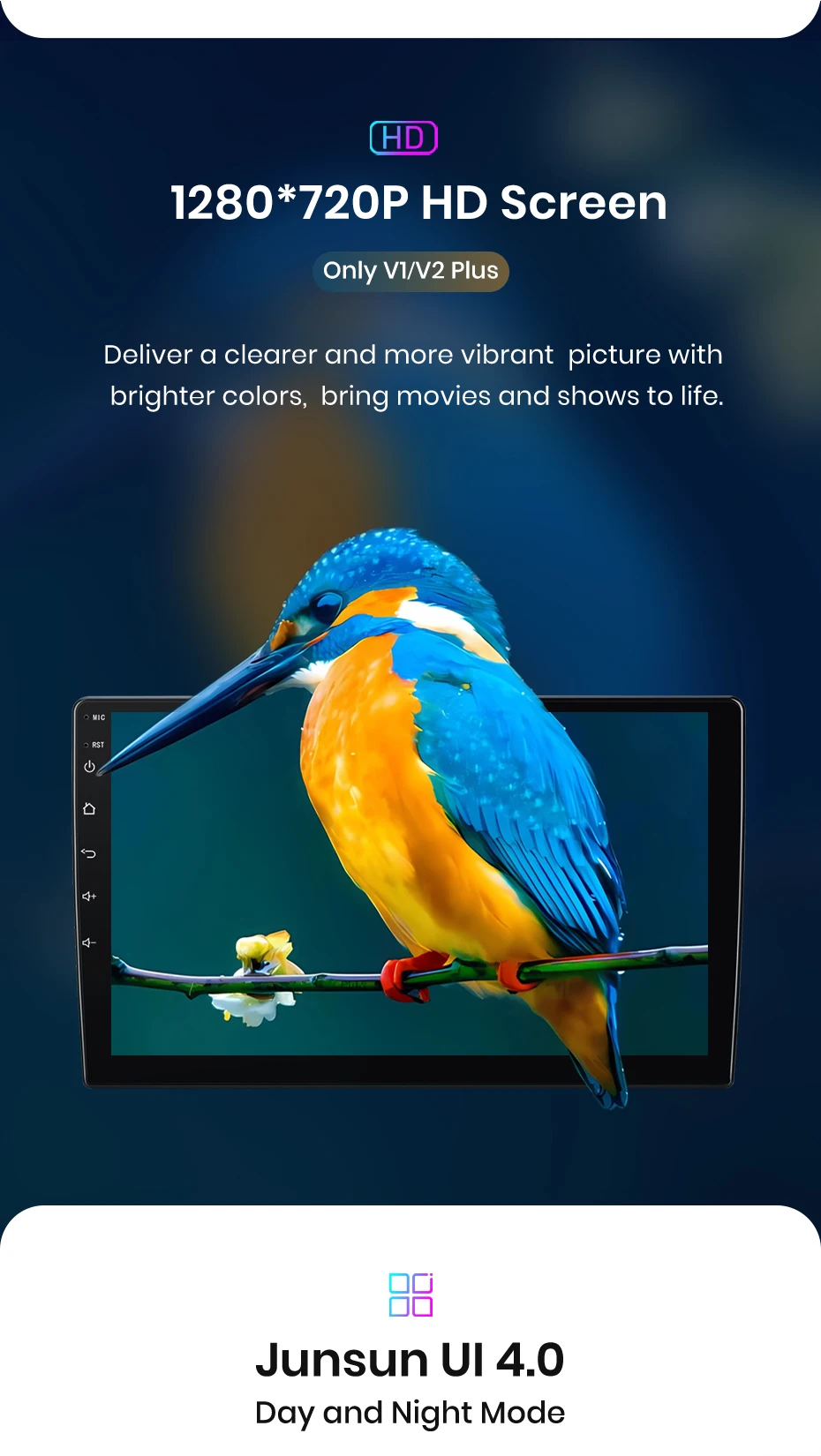
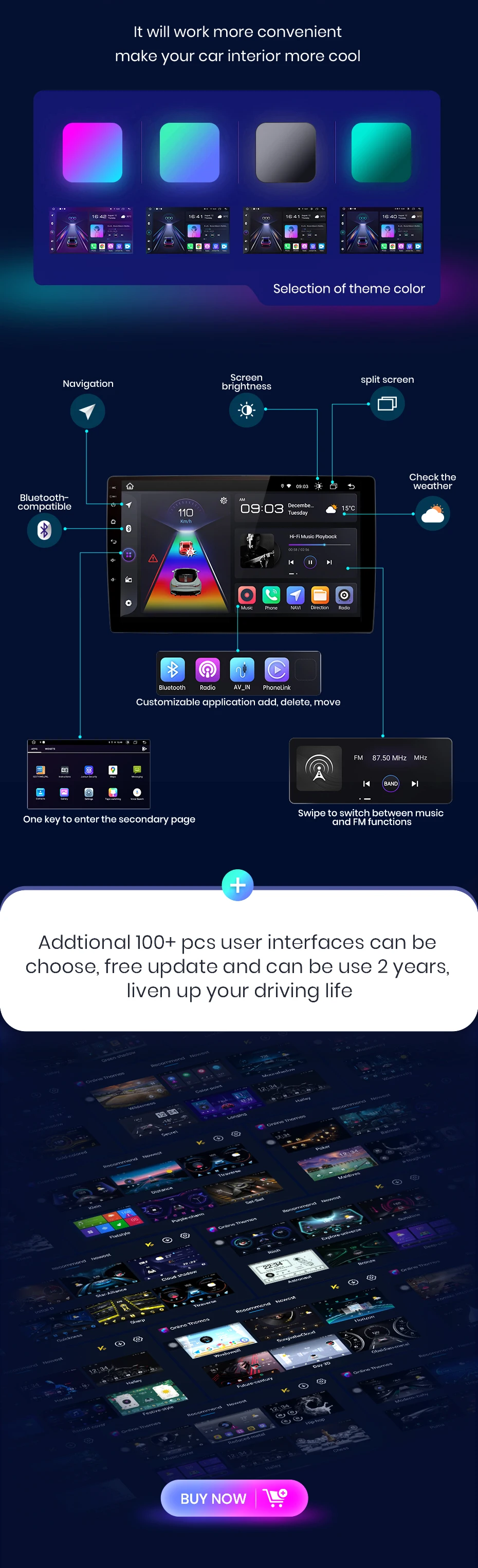
The radio will switch between day and even modes using car lead to adjust the overall brightest of the screen to match the surround environment. Common functions are integrated into the desktop, enabling you to switch between navigation, music, Bluetooth-th call, and other common features with just one click. Junsun's personalized UI design enhances convenience and safety throughout your journey;
PS: If you receive UI3.0, and want to up UI4.0, please contact online service for help
The JunSun radio Wireless supports CarPlay and Android Auto, allowing you to use smartphone functions and apps such as navigation, music, calls, and messaging during your journey. It offers a high-quality audio experience, enhancing the entertainment and convenience of your driving experience.
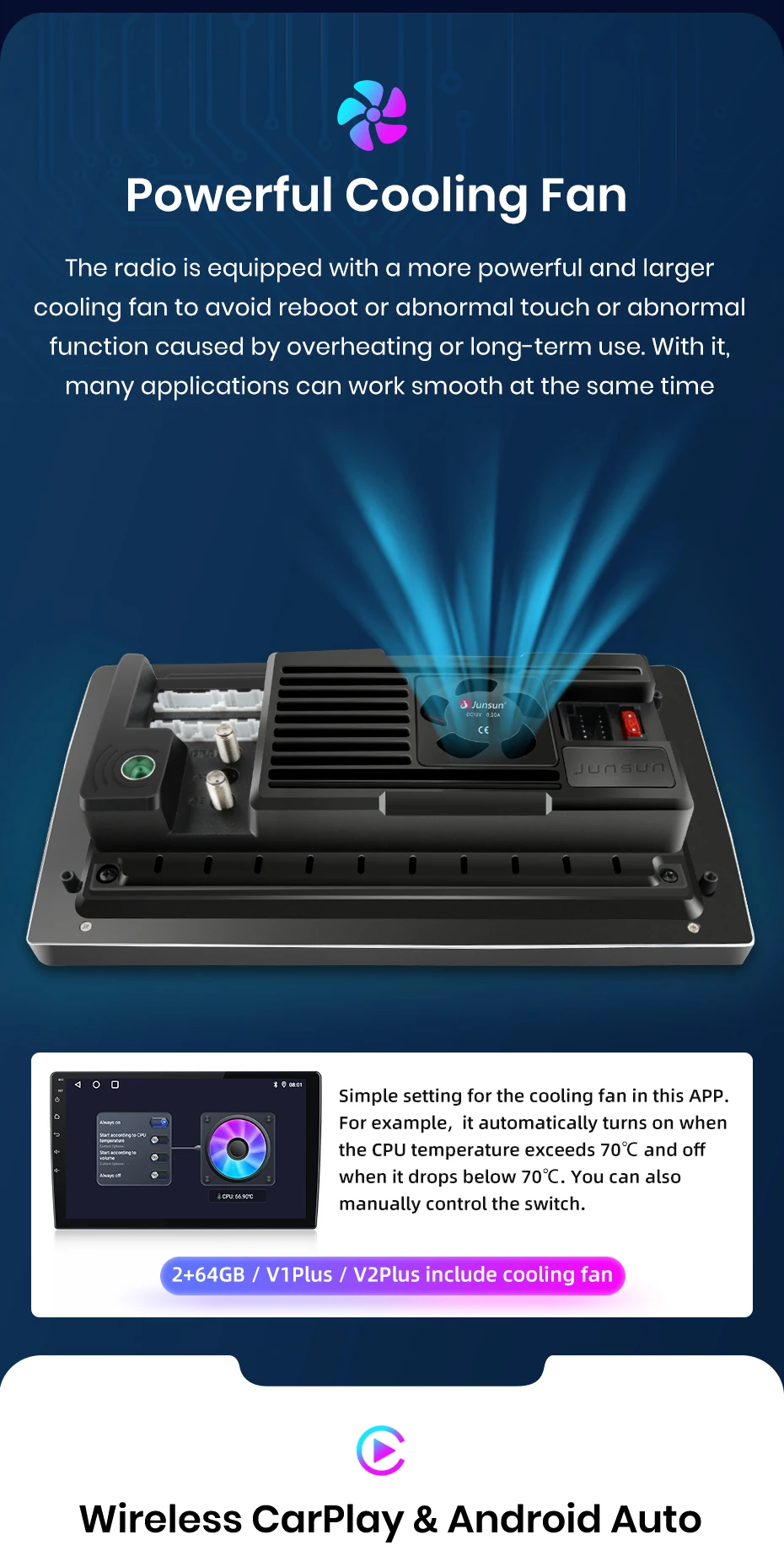
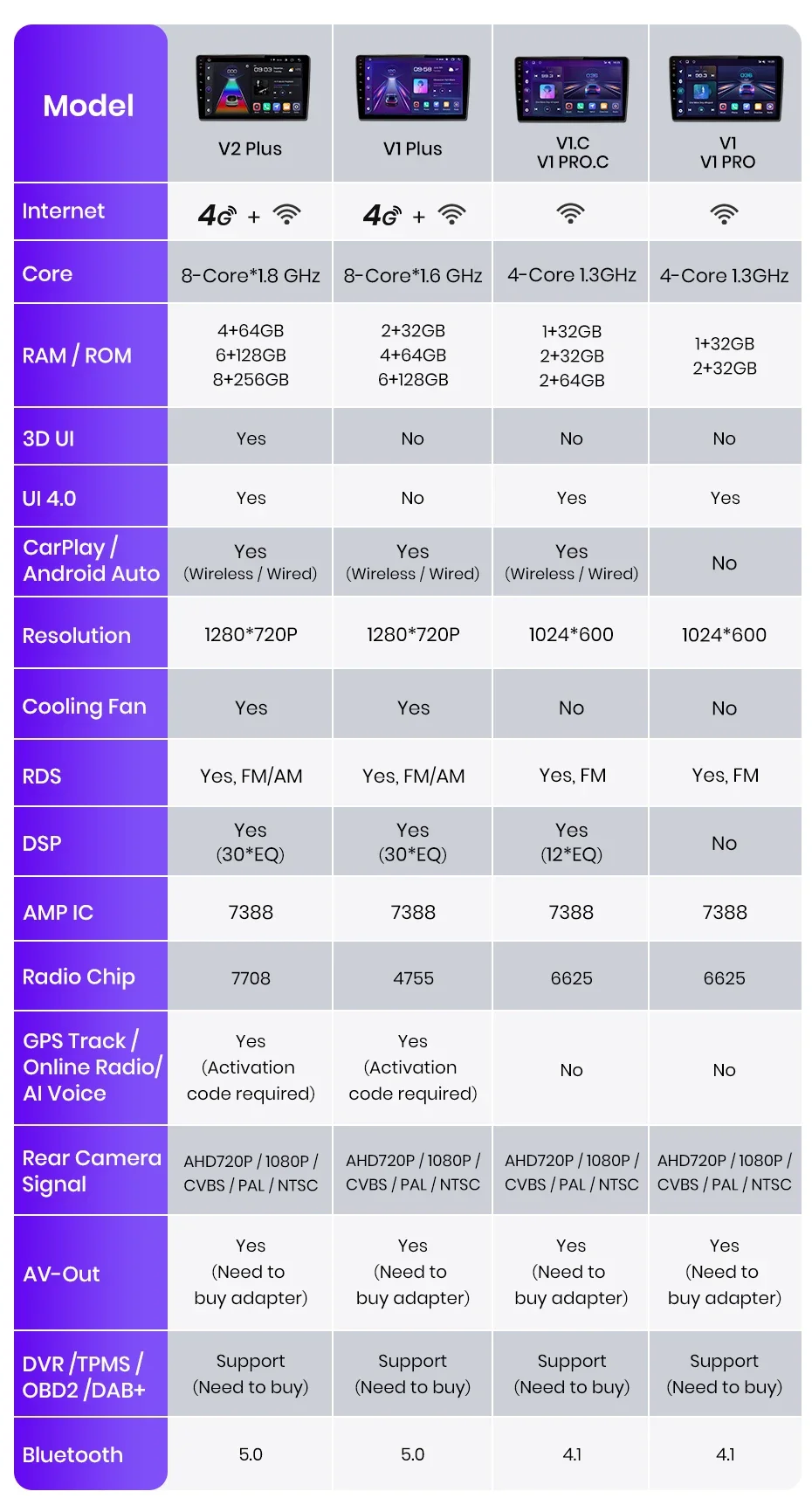
PS:V1 C/V1 Pro C/V1 Plus are supported version.
DSP is a fuel-efficient tool that optimizes sound quality and adapts to various environments. It fine-tunes audio parameters like equalization, bass filtering, and sound folding, ensuring optimal sound performance for your car and speaker setup.
Experience the exclusive "Junsun Online" app designed by Junsun, where you can effortlessly track your vehicle's real-time rental, replay historical roads, and remotely monitor and capture with just one click (requires the purchase of a dashcam). This feature not only allows you to gain insight into your driving performance but also staying all driving safety and experience.
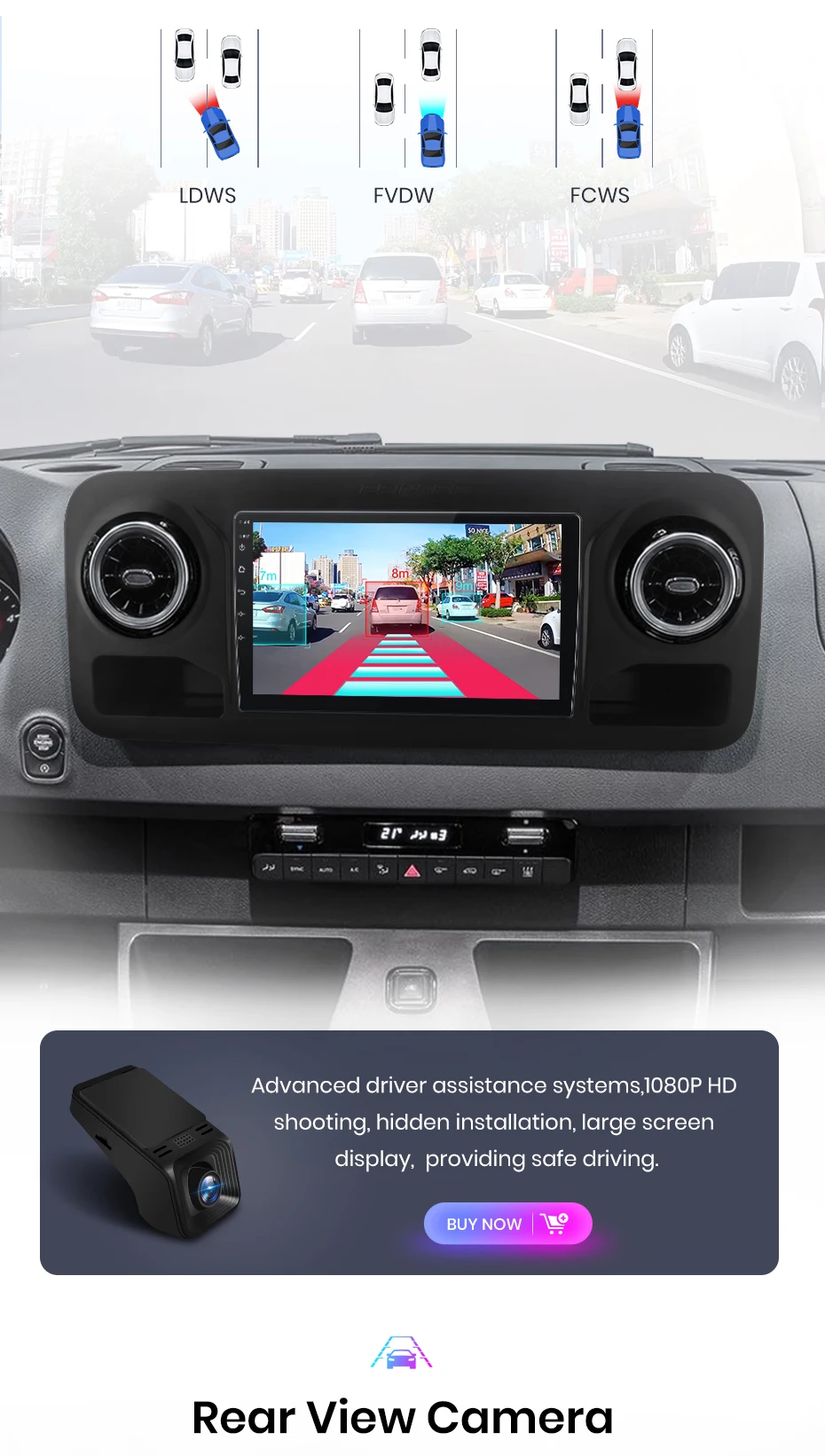
Advanced driver assistance systems, 1080P HD shooting, hidden installation, wide Display screen, providing safe driving.
With the real-time image Display, you can Plain see the blind spots and obstacles behind your vehicle, greater spreading the risk of reverse accidents.
The Junsun car navigation system offers built-in offline maps and online map support, allowing you to find the right route at any time. Regardless of network conditions, we ensure your navigation experience is uninterrupted. And we provide free updates, ensuring you always have the latest map data.
Enjoy superior multitasking, a ready-to-navigate interface, extended visuals, adjustable arrangements, and touch-sensitive controls. Navigation options include EG for the main driver, video playback for the passenger, or listing one side for music and the other side rotating through ADAS DVR functions, etc.
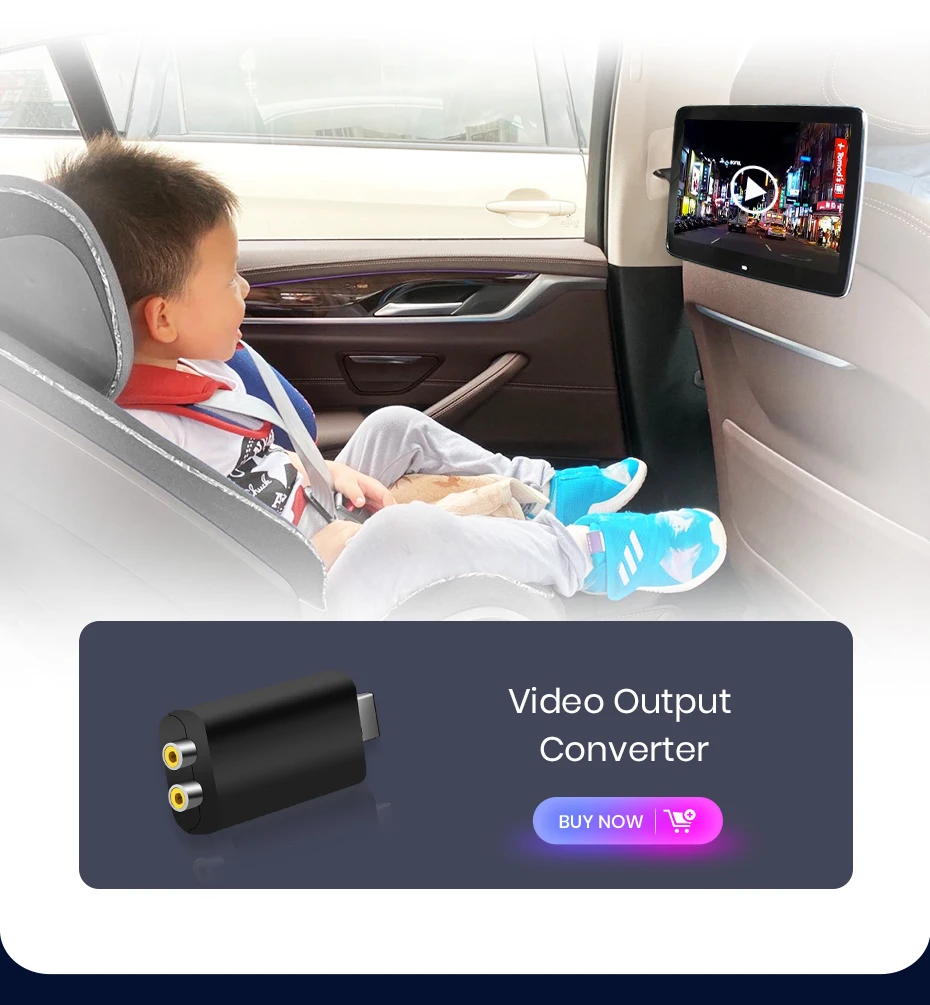
Connect your car navigation system to an external Display and joy to increase screen experience. The VA-out feature allows you to project the content and functionality of your navigation system to supported external display devices, delivering a clearer and more immersive audio-visual experience.
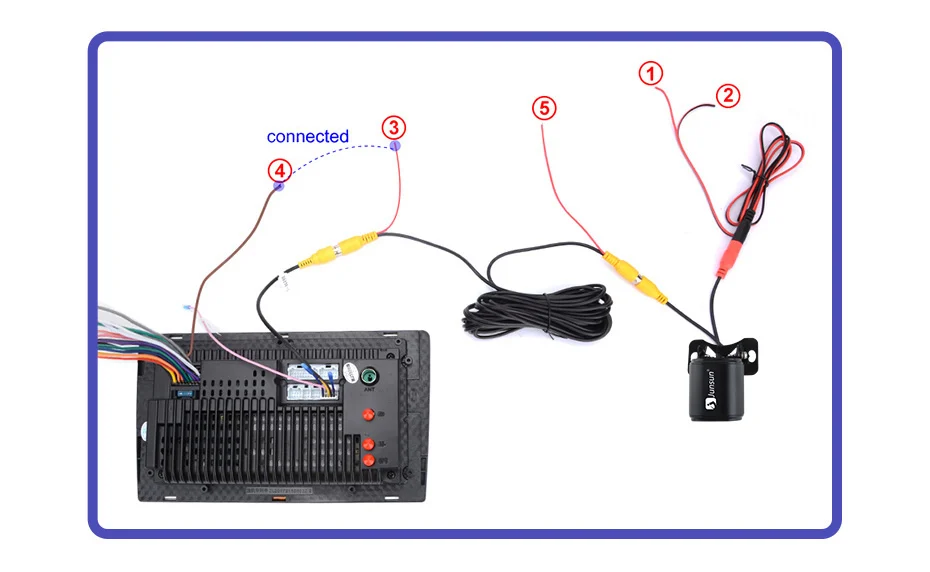
1. How to connect the watch view camera?
1) Red cable ② is connected to the backup light "+"
2) Black cable ① is connected to “GND”
3)The reverse detection cable ④(Brown color) is connected to the red cable ③ which extending from the video output cable, please follow the picture below to connect.
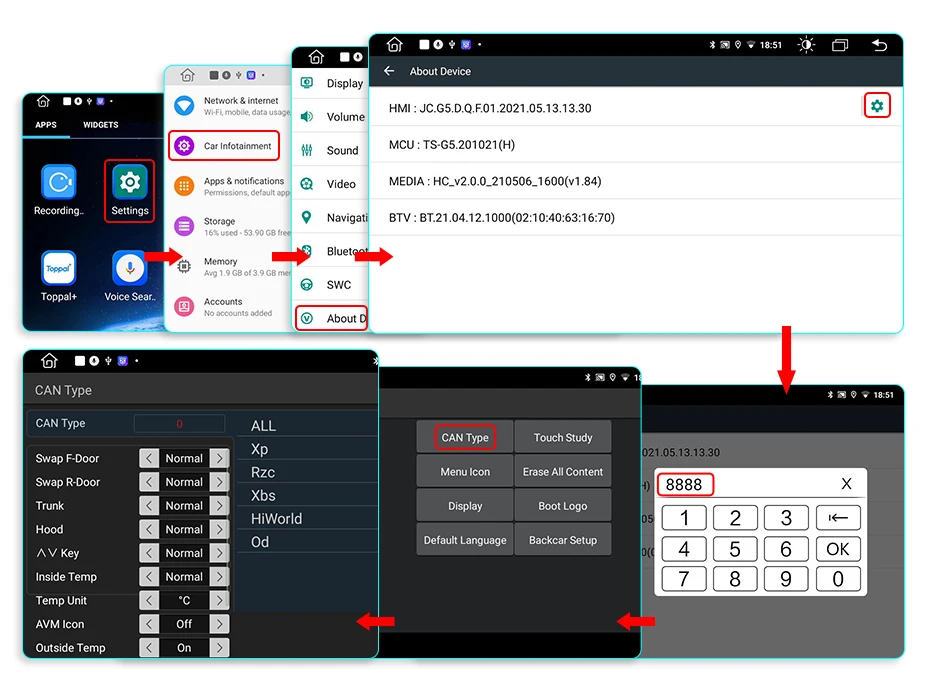
If the screen displays fairly normally after V1 PLUS/V2 PLUS Connection, please enter the factory settings to adjust the camera format: setting-Car Information-About Device-8878-Blackcar Setup-change the CamType /CamFormat to match the camera format;
2.How to set steering wheel controls?
Before starting the setup, please confirm that the MANBUS box and 8PIN serial cable are connected to the multimedia!!!
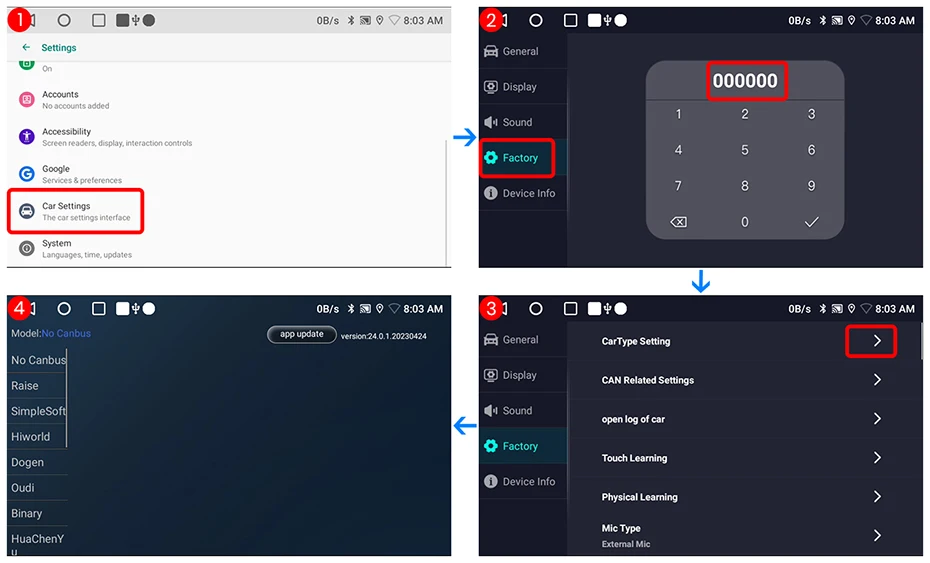
1) There is a Canbus included with the product. If you purchase the V1 / V1.C / V1 Pro / V1 Pro.C / V1 Plus, please refer to the image to select the correct Luzheng model for your car.
2) There is CANbus on the product. If you purchase the V1 Plus / V2 Plus 3D, please take a screenshot to enter the CANbus configuration, select 135, and save.
3) If it is still not available after completing the settings, please refer to the following figure to complete the learning of the steering wheel buttons


3.How to connect wireless Carplay and Android Auto?
For the first connection, need to turn on the phone's Bluetooth to pair with the car's Bluetooth.
After successful pairing, the car radio will automatically switch to the Zlink or AutoLink interface.
At this time, the phone pops up a message prompting "use CarPlay with Zlink or AutoLink"
Then turn on the WiFi of the mobile phone, and the CarPlay will be connected
4.How to connect wired Carplay and Android Auto?
Please use your original data cable to connect the phone to the 4 PIN USB cable, then turn on the Carplay/Android Auto function on your phone and the "AutoLink" or "ZLink5" icon on the device to connect.
5.How to change the Boot Logo?
Because of copyright, logo cannot be displayed.If need, please contact Customer Service for methods to modify the logo.
6.This is the cable rental diagram for your Reference